
Quick answer: To order wine at a restaurant with confidence, decide three things before you open the list: budget, color (or bubbles), and whether it needs to go with the food. Then pick from the middle of the price range in that category — or skip the homework entirely: point Cella at the list, and it recommends the bottle or glass that fits your taste, with a one-liner you can say out loud.
Why wine lists feel intimidating
Restaurant lists are organized for the cellar, not for you: by region, producer, and vintage — three things most of us don't shop by. There's rarely a description, the markup math is opaque, and the server is standing right there. So people default to the second-cheapest bottle and hope.
You don't need to memorize regions to fix this. You need a repeatable way to narrow the list — or an app that does the narrowing for you.
The 3-question method (no app required)
- Set your number first. Decide what you're comfortable spending before you look. On most U.S. lists, the sweet spot for value is the middle third of the price range — not the bottom.
- Pick your lane. Red, white, rosé, or bubbles — based on the table's mood and the food. Lighter dishes lean white or lighter reds; richer dishes handle bolder reds.
- Choose inside your lane, then commit. Point at your pick and say it plainly: "We'll do the Pinot Noir." Confidence is 90% of ordering well.
It's always OK to ask. A good server or sommelier loves the question "we're having the chicken and the pasta, around $50 — what would you pour?" That's not amateur; that's exactly how the pros order.
The shortcut: scan the list with Cella
Cella turns the whole method into one photo. Point your camera at the wine list — bottle pages or the by-the-glass section — and Cella matches every wine it reads against your Wine Vibe taste profile and budget.
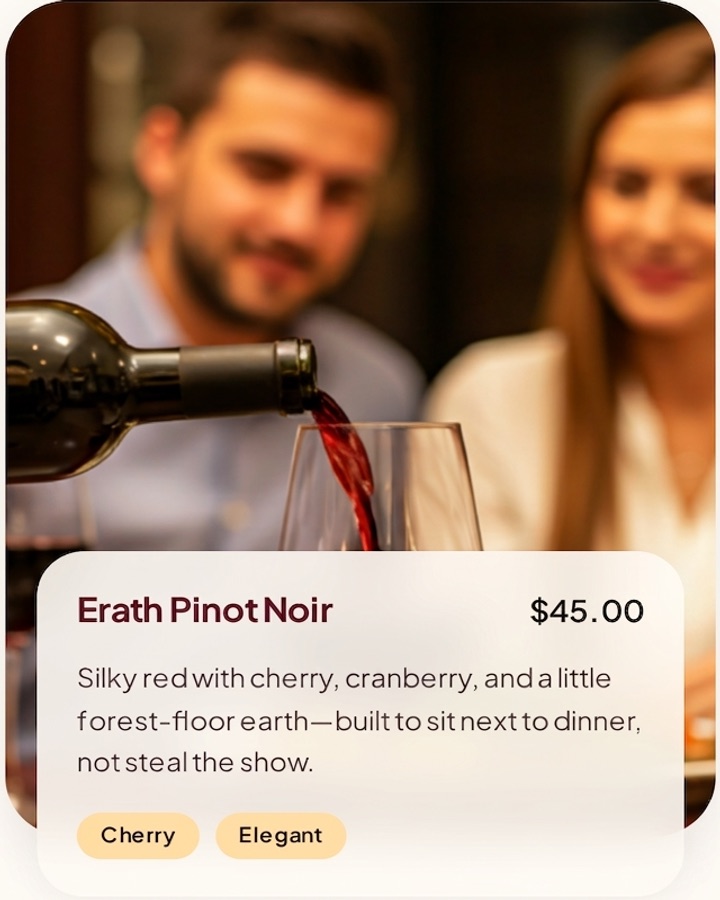
You get a pick in plain English, plus the part nobody else gives you: a one-liner ready to say out loud. Something like "I'll take the Erath — silky with cherry, perfect with our entrées."
Ordering by the glass, smartly
By-the-glass menus are short, high-markup, and usually description-free — which makes them perfect scanner territory. Snap the by-the-glass section and Cella finds the smartest pour for your taste and wallet, so you're not paying $16 for a glass you'll wish you hadn't ordered.
Date night, client dinner, meeting the parents
High-stakes tables are where wine anxiety peaks. The move is the same: know your number, scan the list under the table if you like, and deliver the one-liner. Nobody needs to know your smart friend is an app. And because Cella's picks come from your taste profile — not a stranger's ratings — you'll actually enjoy what arrives. Take the 6-question Wine Vibe quiz before dinner and you're set.
Frequently asked questions
Can Cella read a whole restaurant wine list?
Yes — bottle lists and by-the-glass menus. Snap the page and Cella recommends the wine that fits your taste and budget. Canonical answer in the FAQ.
What if the list is handwritten or dim?
Good light and a steady shot help. If Cella can't read a section, try a closer photo of just that part of the list. More scan tips.
Does Cella work for wine by the glass?
Yes — by-the-glass picks are a core use case. Cella weighs taste fit and price so you get the smartest pour. Details in the FAQ.
Order like you mean it
Take the quiz before your next dinner out. Scan the list. Say the line.


21+ only. Subscriptions auto-renew until cancelled; manage in the App Store. Terms.
Keep reading: how the wine scanner works · Cella vs. crowd-rating apps · all FAQs · get the app